Every payment gets a second look.
Receipts and invoices come in through one form. The right people approve. Your bookkeeper gets a clean list to pay, and the board sees where the budget stands.
From receipt to paid, without the email chain
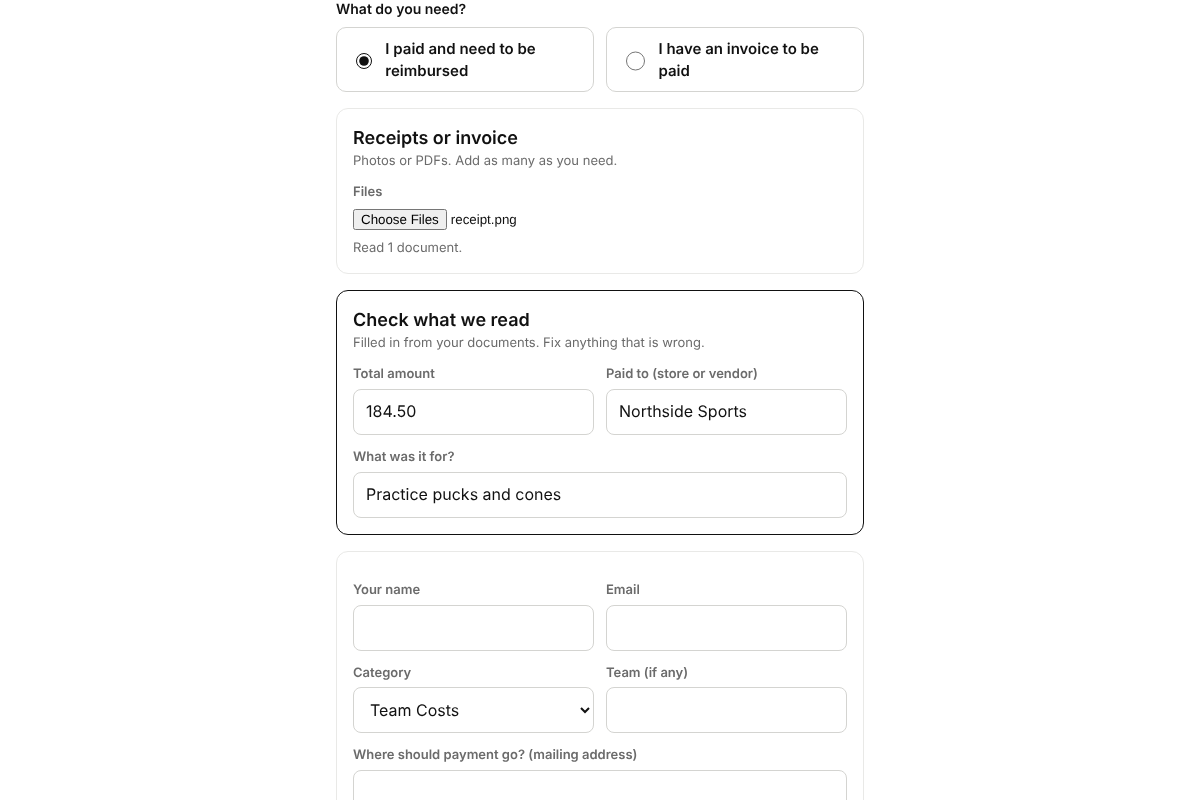
- Send it inA coach or parent opens the form on a phone and adds photos or a PDF. Vendors can email invoices in.
- It reads the documentAmount, payee, date and category fill in. The sender checks them before sending.
- The right people approveYour rules decide who signs off. Big amounts need a second officer.
- The bookkeeper paysApproved requests land on one list with the documents attached. Marked paid, everyone is told.
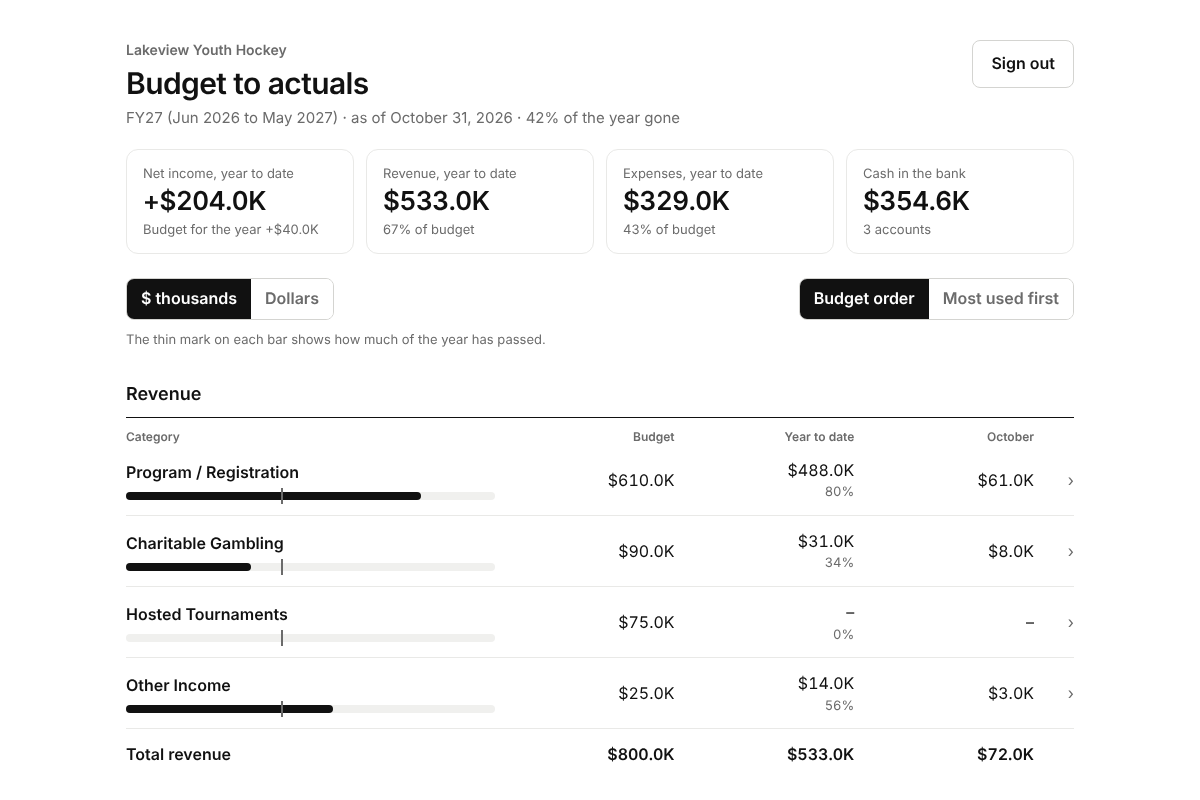
Budget to actuals, any day of the month
Board members sign in with an emailed code and see budget, year to date and this month by category. They can open a category to see the accounts behind it and send a question to the treasurer.
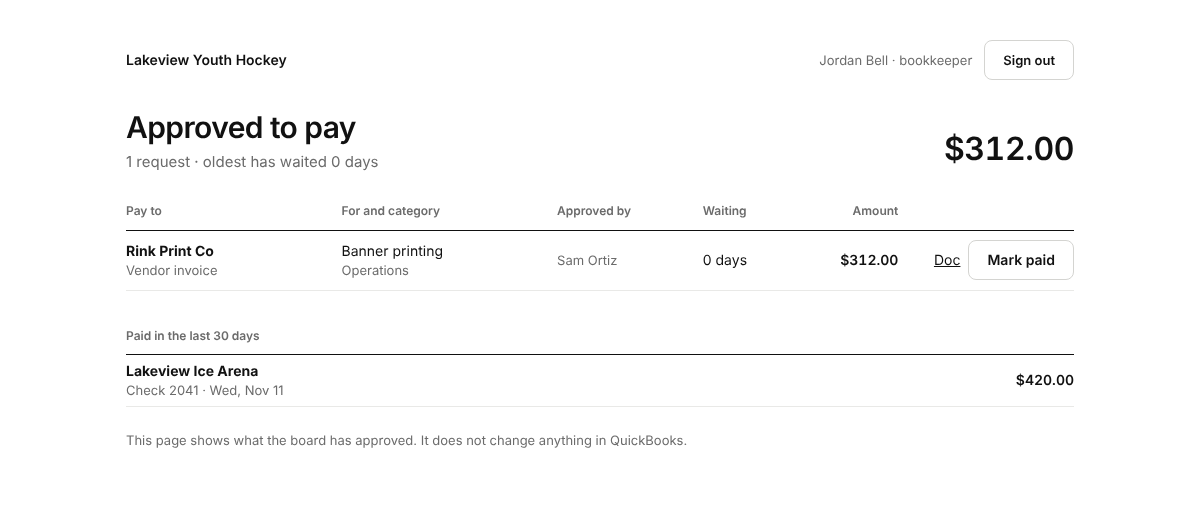
One list of what to pay
Only approved requests appear. Each one shows who approved it, the category and the documents. The bookkeeper records the check number and the request closes.
The checks an auditor asks about
QuickBooks stays your books
Clean Sheet reads QuickBooks to build the budget view. It does not write to your books or move money. You sign in to QuickBooks on your own iPhone, and that sign-in stays on the phone.
Starting with a few associations
Clean Sheet is in early access. Tell us about your association and we will be in touch.
Ask for early access